Shared inputs for scientific codes
Established scientific codes have earned trust through years of numerical work. Their input interfaces often grew independently, though: every code has its own syntax, unit conventions, validation rules, and documentation. Researchers moving between codes repeatedly have to learn those details and reconstruct the meaning of each parameter.
This open initiative invites maintainers and users of mature, open-source research codes to explore a common, optional input layer based on DIPL and SciNumTools. The aim is to make parameter definitions easier to inspect, validate, document, and reuse across projects while respecting each code’s existing workflow.
A practical first integration
The first integration is a compatibility layer around an existing program:
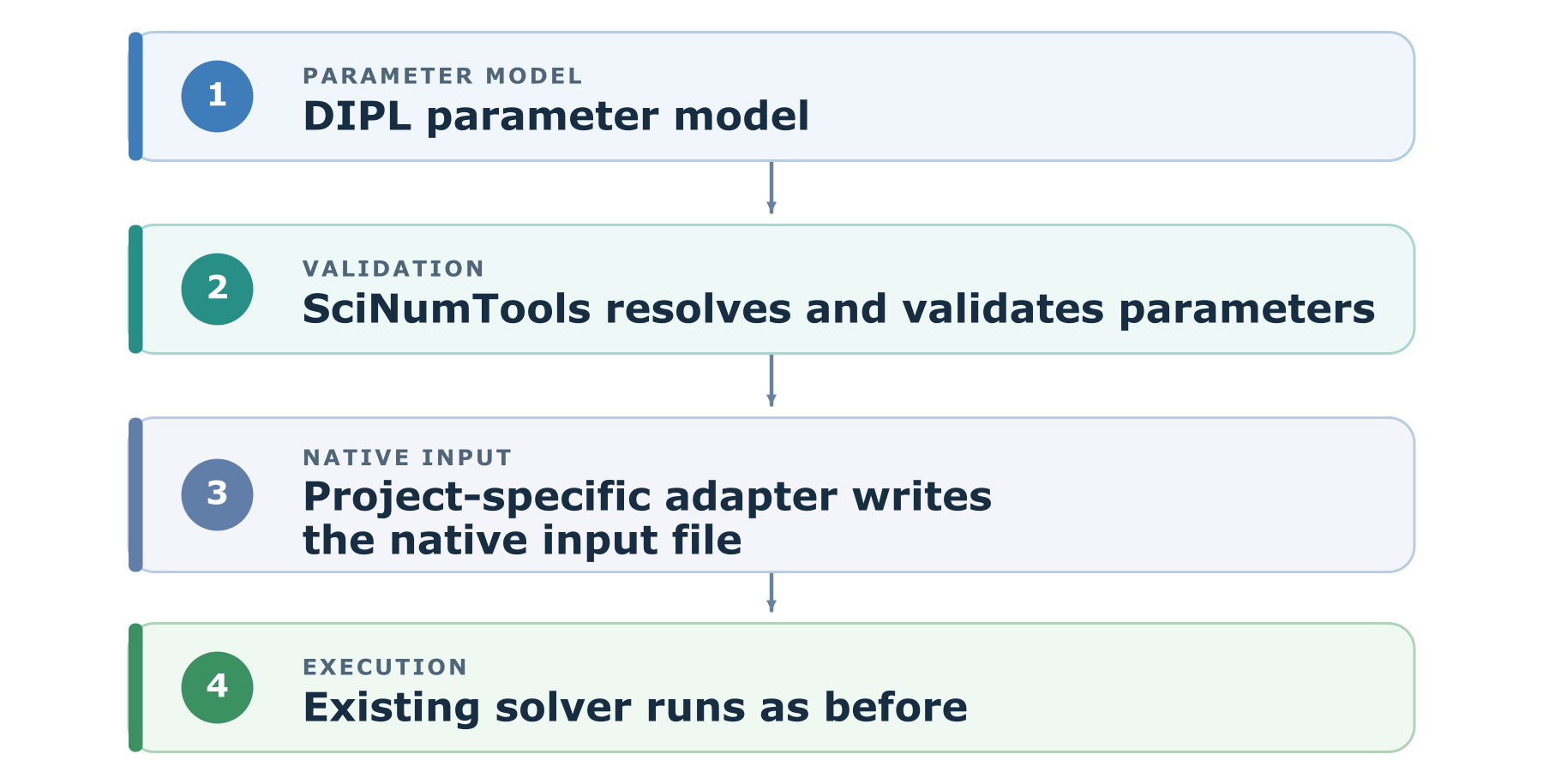
The code’s numerical methods, solver, and native input format remain under the project’s control. Existing native files can still be used. Direct DIPL integration is the longer-term aim where the parameter model and tooling have earned enough stability and trust. The external adapter is a practical first step. An independent proof of concept can test whether DIPL faithfully represents an established code’s interface without implying upstream participation or endorsement.
Try a participating project
With SNT installed, create a workspace, choose a Hub project, and generate an example’s inputs:
mkdir study && cd study
snt hub list
snt hub fetch PROJECT
snt hub examples
snt hub setup EXAMPLE
Replace PROJECT and EXAMPLE with names shown by list and
examples. runs/EXAMPLE contains generated files and a setup lock;
available files depend on the example. Building and running require separate,
reviewed project capabilities. See the
SNT Hub CLI guide for prerequisites and overrides.
How to participate
The best first collaborators are established open-source codes with mature, stable, documented parameter spaces. The SciNumTools authors can prepare an initial adapter and parameter model; experts in the participating code would check that the definitions and generated native files preserve the code’s intended semantics. Improvements to shared tooling can then feed back into SciNumTools for other projects to use.
SciNumTools is open source under the MIT license. The initiative has no subscription or hidden cost. Participating projects retain their own governance and would be asked to provide an appropriate reference to the collaboration in their documentation, website, or a paper.
If you maintain or use a suitable scientific code, start a discussion in the project’s issue tracker. Explore other SciNumTools projects and integrations in the SNT Hub and its registry.
The initiative flyer
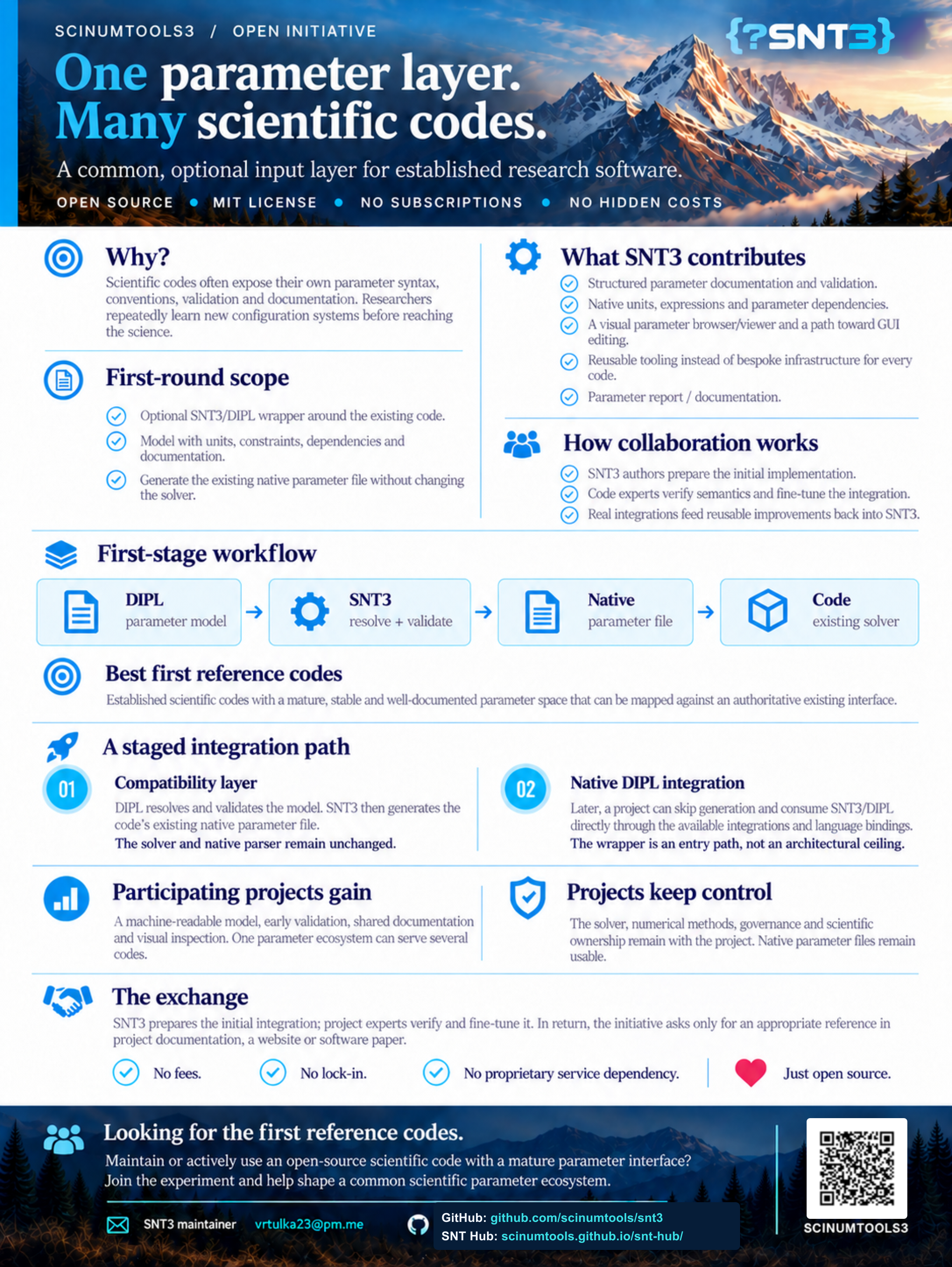
The full initiative flyer, shown at a smaller size. Select the image to open it at full resolution. Its QR code opens the SNT3 repository; the SNT Hub address is printed alongside it.
A badge for participating projects
Projects can place a compact badge alongside their Build, Documentation, and License badges. It links readers to this initiative; describe the project’s actual SNTv3 integration in the surrounding README text.

Copy this Markdown into your project’s README.md:
[](https://scinumtools.github.io/snt3/initiative.html)